The Story
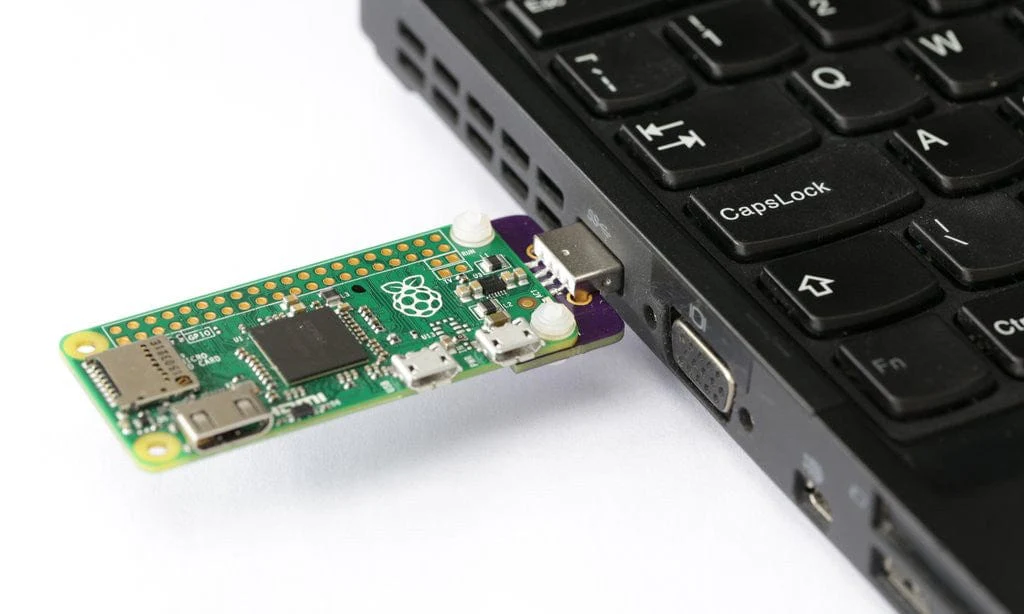
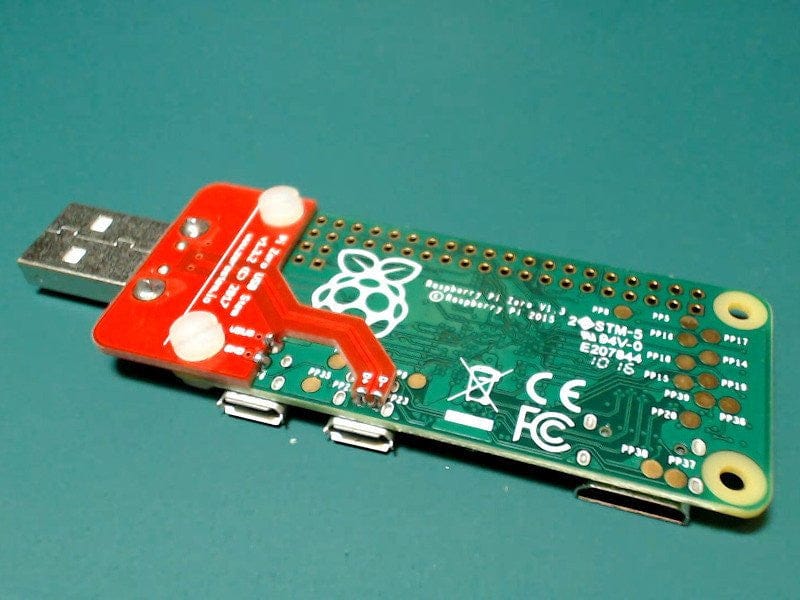
The Zero Stem uses the test points underneath your Pi Zero to attach a full-sized USB connector. Convert your Pi Zero or Pi Zero W into a convenient USB dongle.
Just plug it into a free USB port and you can connect to your Pi over USB ethernet and share your computer's internet connection without any additional cables or power supplies.
Zero Stem is soldered onto the bottom of your Pi Zero and secured with bolts, making it convenient to use on the go. Use it to create your own little plug-and-play virtual machine, VNC server, proxy server or combine several into a cluster.
Kit includes
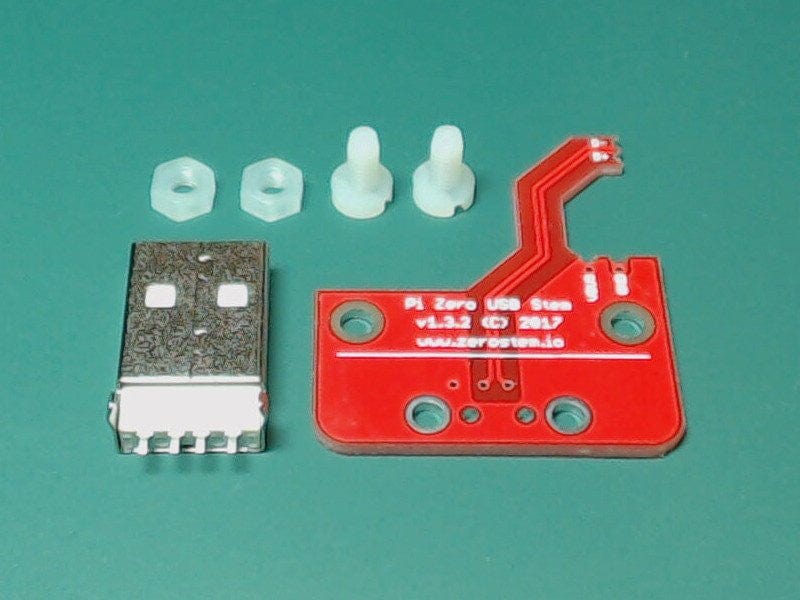
- Zero Stem PCB
- USB connector
- Nylon bolts and nuts
Details
- Raspberry Pi NOT Included!
- Compatible with Pi Zero V1.3 (with camera connector), Pi Zero W and 2W
- Not compatible with Pi Zero v1.2 (without camera connector)!
- Setup required (see below)
- Requires soldering!
Assembly and Installation
Visit https://zerostem.io/installation/ for complete assembly instructions.
Preparing Raspberry Pi OS
Thanks to Andrew Mulholland for writing up these instructions, which you can find in this GitHub Gist.
In short:
- Flash your SD card as usual using Etcher or Win32DiskImager
- Open up the "boot" partition and edit "config.txt", adding "dtoverlay=dwc2" to the bottom
- Open up "cmdline.txt" and add "modules-load=dwc2,g_ether" after "rootwait"
- Create a new file named "ssh" in the boot folder
Pop your newly set up SD card into your Pi Zero, plug it into a USB port and you should be able to SSH in to "raspberrypi.local", you will need Bonjour, iTunes or Quicktime installed in Windows or Avahi Daemon in Linux for this to work.
Details & Craftsmanship
Every detail has been carefully considered to bring you the perfect product.
Details & Craftsmanship
Every detail has been carefully considered to bring you the perfect product.
Description
The Zero Stem uses the test points underneath your Pi Zero to attach a full-sized USB connector. Convert your Pi Zero or Pi Zero W into a convenient USB dongle.
Just plug it into a free USB port and you can connect to your Pi over USB ethernet and share your computer's internet connection without any additional cables or power supplies.
Zero Stem is soldered onto the bottom of your Pi Zero and secured with bolts, making it convenient to use on the go. Use it to create your own little plug-and-play virtual machine, VNC server, proxy server or combine several into a cluster.
Kit includes
- Zero Stem PCB
- USB connector
- Nylon bolts and nuts
Details
- Raspberry Pi NOT Included!
- Compatible with Pi Zero V1.3 (with camera connector), Pi Zero W and 2W
- Not compatible with Pi Zero v1.2 (without camera connector)!
- Setup required (see below)
- Requires soldering!
Assembly and Installation
Visit https://zerostem.io/installation/ for complete assembly instructions.
Preparing Raspberry Pi OS
Thanks to Andrew Mulholland for writing up these instructions, which you can find in this GitHub Gist.
In short:
- Flash your SD card as usual using Etcher or Win32DiskImager
- Open up the "boot" partition and edit "config.txt", adding "dtoverlay=dwc2" to the bottom
- Open up "cmdline.txt" and add "modules-load=dwc2,g_ether" after "rootwait"
- Create a new file named "ssh" in the boot folder
Pop your newly set up SD card into your Pi Zero, plug it into a USB port and you should be able to SSH in to "raspberrypi.local", you will need Bonjour, iTunes or Quicktime installed in Windows or Avahi Daemon in Linux for this to work.